From CWRG to Payroll Settlement: How Does DGX HRMS Connect Site Attendance and Payroll Processes?
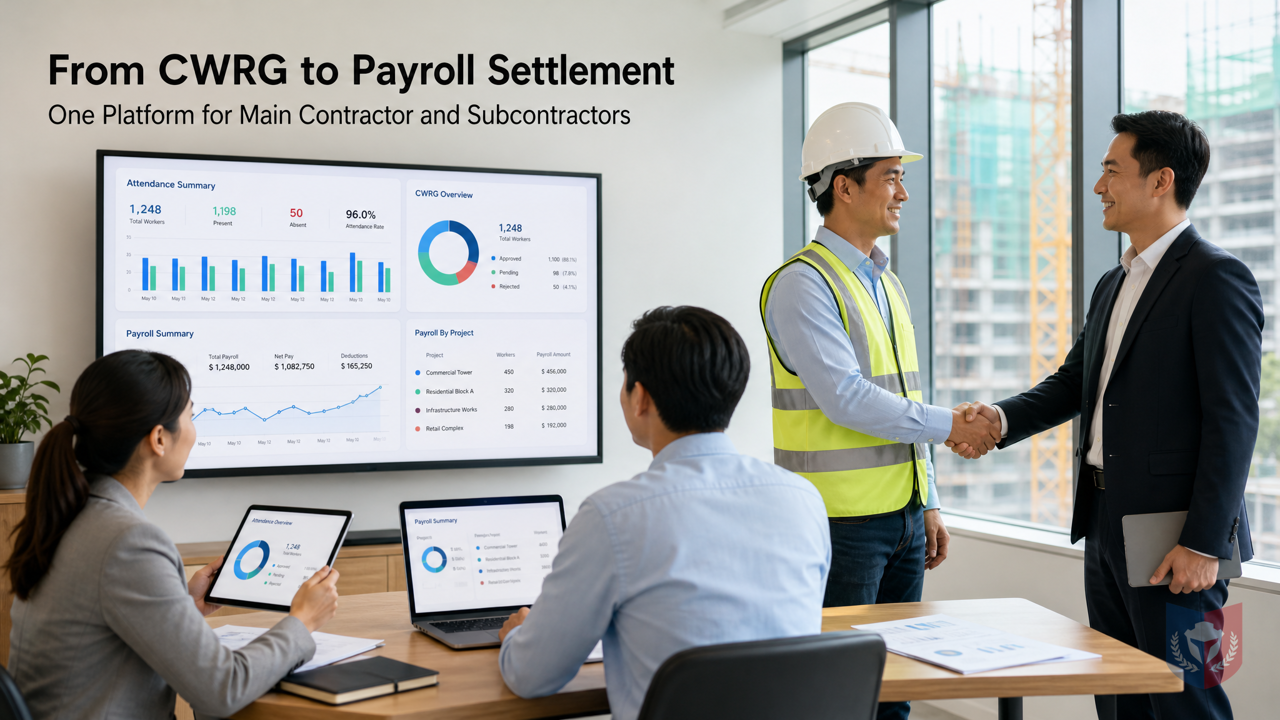
Main contractors and subcontractors share one platform, eliminating duplicate entry and achieving integrated attendance and payroll
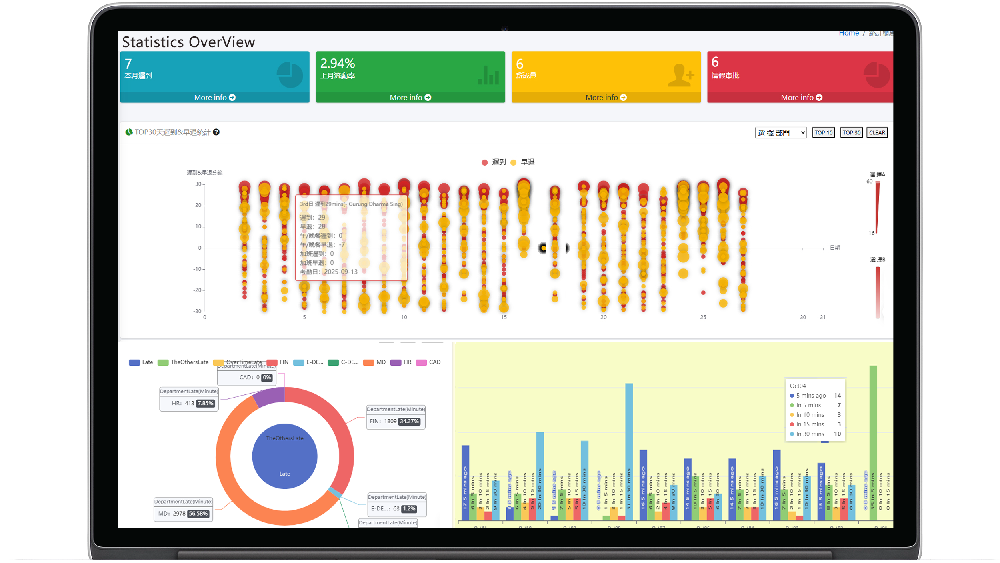
Time & Payroll Suite
Attendance, Payroll and Access Control Solution for Cost Reduction and Productivity Gains Details
All‑in‑one automated timekeeping and payroll system with robust, secure processes to guarantee payroll integrity. Includes leave management, shift rostering, multi‑site and chain support, multi‑ledger accounting, and comprehensive modules.
Challenges of Site Attendance and Payroll Management
In Hong Kong's construction industry, the registered card records of the CWRG (Construction Workers Registration) system are managed by the main contractor on site, but workers employed by subcontractors cannot be managed under a single lead. This management gap has not been properly addressed since the launch of the CIC platform. After a worker leaves, site management personnel should not directly "delete" the historical record; instead, they must update the "end date" in the worker registration table to the date of departure, and under Chapter 583 of the Laws of Hong Kong, the Construction Workers Registration Ordinance, the main contractor must submit Daily Attendance Records (DAR) on time. When a worker leaves, the worker's site access should be disabled or updated in the system within the next submission cycle (within 7 days) or on the day of departure, ensuring that the worker can no longer tap in at that site.
DGX HRMS: A Shared Platform for Main Contractors and Subcontractors
To address the above issues, DGX HRMS provides a subcontractor worker management interface, enabling main contractors and subcontractors to share one platform system without each building their own. The DGX HRMS attendance and payroll management system is designed specifically for the construction industry. The following introduces its system composition and how it connects attendance and payroll processes.
DGX HRMS Software System Composition
DGX HRMS consists of multiple modules, including attendance devices, roles and permissions system, reports, Email Account, software information, industry solutions, development function business, and system management.
A. Attendance Devices
Supports various attendance devices, records worker card-tapping data, and provides the basis for payroll calculation.
B. Roles and Permissions System
Roles are defined specifically according to business conditions; the above roles are based on common situations. The system adopts a hybrid strategy-and-role architecture; the design and architectural thinking are intended for flexible configuration of permissions and roles. Specific description as follows: administrators can set permission definitions, set permissions and policies, requiring both specific roles and permissions. Roles such as System Administrator SystemAdmin, Company Administrator Admin, and Company Operator MainComOperator can be configured as needed.
C. Reports
Provides various reports, including attendance reports, payroll reports, etc., for management review.
D. Email Account
The system can configure an Email Account for sending notifications and reports.
E. Software Information
Displays software version and related information.
F. Industry Solutions
Provides solutions for the construction industry, including CWRG registered card record management.
G. Development Function Business
Specific functions can be developed according to customer needs.
H. System Management
System management includes user role authorization, role definition list, role authorization, company service review, configuration ./CONFIG, multi-language management, system users, batch import of attendance lists, and other functions. Administrators can set permission definitions, set permissions and policies, ensuring system security.
Integrated Payroll Settlement Process
DGX HRMS seamlessly connects attendance records with payroll settlement, reducing manual errors and improving efficiency. The following example illustrates the process:
Suppose employee Chan Tai Man leaves and payroll needs to be calculated. First, manually adjust the clock-out tap to complete the missing clock-out attendance for that day. Second, enter a payroll payment in lieu of notice of 7 days = 20000 7/30, by adding an account detail and noting it as "Payroll 7-day payment in lieu of notice" (because attendance for that day is incomplete and requires time to calculate). Then proceed to payroll attendance deduction: approval confirmation (once approved, it will not continue to be calculated every day), the purpose being 20,000 - 15 days of attendance deduction = 10,000. If the attendance KPI reward and penalty mechanism also needs to be executed, then the KPI assessment for the corresponding month needs to be approved, assumed to be 0. If there are additional payroll calculation items, they need to be confirmed or cancelled. Then in the payroll account, query Chan Tai Man by monthly settlement list and proceed with the approval confirmation process; the final result is 10,000 + 20000 7/30. In plain terms: the remaining scheduled shifts within the incomplete settlement cycle (monthly) that should be deducted, as well as the working time for lateness and early departure, constitute the attendance deduction amount. After completing the bank transfer, click settlement to enter the relevant transaction number, bank information, etc., output the report for archiving, and the entire process is complete. Supplementary note: the above-generated deductions and financial items have already been approved and do not affect the system calculations generated the next day.
Regarding accounting codes, system-calculated accounting codes are marked with [SYSCALC], custom accounting codes are marked with [CUSTOMIZE], and system default accounting codes not for logical business calculations are marked with [SYSTEM]. Common leave type codes include: General Leave GL: GENERALLEAVE, Administrative Leave ADL: ADMINISTRATIVELEAVE, Sick Leave SL: SICKLEAVE, Annual Leave AL: ANNUAL_LEAVE, Paternity Leave PL: Paternity Leave.
Notes
If the approval process is used for approval, the scheduling settings cannot be started repeatedly multiple times; the scheduling settings must be recreated. If ordinary approval is used, scheduling can be started or stopped repeatedly.
Through its integrated process, DGX HRMS helps enterprises reduce duplicate input and improve the accuracy and efficiency of payroll settlement, making it an ideal choice for human resources management in the construction industry.





























Featured Reviews
No reviews yet. Be the first to leave one.
Write a review
Supports bold and lists; do not paste external scripts or images
0 / 2000
Visible after review