How to Handle Worker Offboarding Records? DGX HRMS Teaches You CWRG Privacy Compliance and Attendance Approval Workflows
The Construction Industry Council (CIC) of Hong Kong has increasingly strict privacy requirements for site worker records. Project owners and project managers (PMs) must master the correct procedures in the CWRG system after a worker leaves, to avoid inadvertently breaking the law. This article combines DGX HRMS's attendance approval and payroll calculation solutions to help you manage site human resources compliantly and improve efficiency.

Time & Payroll Suite
Attendance, Payroll and Access Control Solution for Cost Reduction and Productivity Gains Details
All‑in‑one automated timekeeping and payroll system with robust, secure processes to guarantee payroll integrity. Includes leave management, shift rostering, multi‑site and chain support, multi‑ledger accounting, and comprehensive modules.
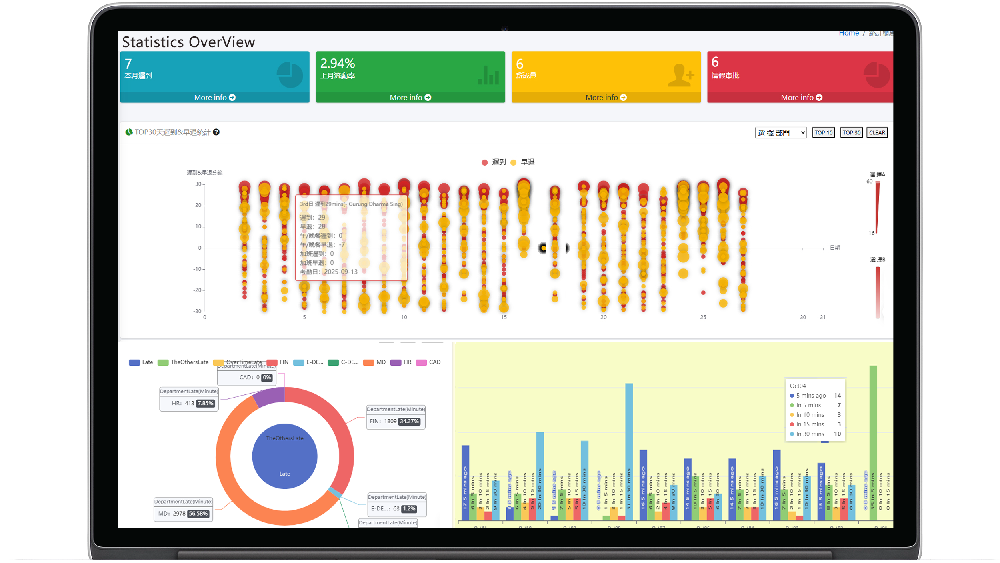
Improper handling of worker departure files can violate CIC privacy regulations at any time!
The Construction Industry Council (CIC) of Hong Kong and the Development Bureau have been actively promoting digital management of construction sites in recent years, and privacy requirements for worker file records are becoming increasingly stringent. Project leaders, project managers (PMs), and construction managers must immediately grasp the new policies to ensure site compliance and avoid legal liability. This article will focus on the CIC's privacy requirements for site worker file records, explain the correct operations in the CWRG system after a worker leaves, and introduce how DGX HRMS achieves fine-grained permission control through its role and permission system, as well as precautions for approval processes in attendance and payroll management.
Correct operations in the CWRG system after a worker leaves
In the CWRG system, after a worker leaves, site management personnel should not directly "delete" historical files, but must update the "end date" in the worker registration form to the date of departure. According to Chapter 583 of the Laws of Hong Kong, the Construction Workers Registration Ordinance, the main contractor must submit daily attendance records (DAR) on time. When a worker leaves, the worker's site permissions should be disabled or updated in the system within the next submission cycle (within 7 days) or on the day of departure, ensuring that the worker can no longer clock in at the site. Otherwise, it may constitute an infringement of worker privacy and result in fines or even legal liability.
DGX HRMS role and permission system
DGX HRMS provides comprehensive system management functions. Its role and permission system is designed based on a hybrid policy and role architecture, and roles can be specifically defined according to business conditions. Common roles include System Administrator SystemAdmin, Company Administrator Admin, Company Operator MainComOperator, etc. Administrators can set permission definitions, permissions, and policies to ensure that personnel in different positions can only access data within the scope of their responsibilities, such as sensitive operations like attendance approval and payroll calculation. This not only improves data security but also meets privacy compliance requirements.
Precautions for the attendance approval process
When using DGX HRMS for attendance approval, note the following: if an approval process is used for approval, the scheduling settings cannot be started repeatedly multiple times, and the scheduling settings must be recreated; if ordinary approval is used, scheduling can be started or stopped repeatedly. In addition, when a worker leaves, the clock-out must be manually adjusted to complete the missed clock-out attendance for that day. Then, enter a payroll notice payment of 7 days = 20000 7/30, by adding an account detail and noting it as "Payroll 7-day notice payment" (because the attendance for that day is incomplete and requires time calculation). Next, go to payroll attendance deduction: approval confirmation (if approved, it will not continue to be calculated every day), the purpose is 20,000 - 15 days of attendance deduction = 10,000. If the attendance KPI reward and penalty mechanism also needs to be executed, then the KPI assessment for the corresponding month needs to be approved, assuming it is 0. If there are additional payroll calculation items, they need to be confirmed or canceled. Finally, in the payroll account, query Chen Dawen in the monthly settlement list and perform the approval confirmation process. The final result is 10,000 + 20000 7/30. In simple terms: the remaining scheduling within the unfinished settlement cycle (monthly) that should be deducted, as well as the working time for lateness and early departure, constitute the attendance deduction amount. After completing the bank transfer, click settlement to enter the relevant transaction number, bank information, etc., and output and archive the report. The entire process is then complete. Supplementary note: the deductions and financial items generated above have already been approved and do not affect the system calculations generated for the next day.
Accounting code annotations
Accounting codes calculated by the DGX HRMS system are marked with [SYSCALC] at the end, custom accounting codes are marked with [CUSTOMIZE] at the end, and system default accounting codes that are not for logical business calculations are marked with [SYSTEM] at the end. In addition, the system supports multiple leave types, such as general leave GL: GENERALLEAVE, administrative leave ADL: ADMINISTRATIVELEAVE, sick leave SL: SICKLEAVE, annual leave AL: ANNUAL_LEAVE, paternity leave PL: Paternity Leave, etc., making it convenient for enterprises to manage flexibly.
DGX HRMS also provides reports, Email Account, software information, industry solutions, development function business, system management (including user role authorization, role definition list, role authorization, company service review, configuration/CONFIG, multilingual management, system users, batch import of attendance lists, etc.), fully meeting site human resource management needs.
Adopt DGX HRMS now to ensure CWRG privacy compliance and improve attendance approval and payroll calculation efficiency!
































Featured Reviews
No reviews yet. Be the first to leave one.
Write a review
Supports bold and lists; do not paste external scripts or images
0 / 2000
Visible after review