From a Single Image to a Custom Model: A Full Overview of AGMT Features, Train Your Own Alarm Accuracy
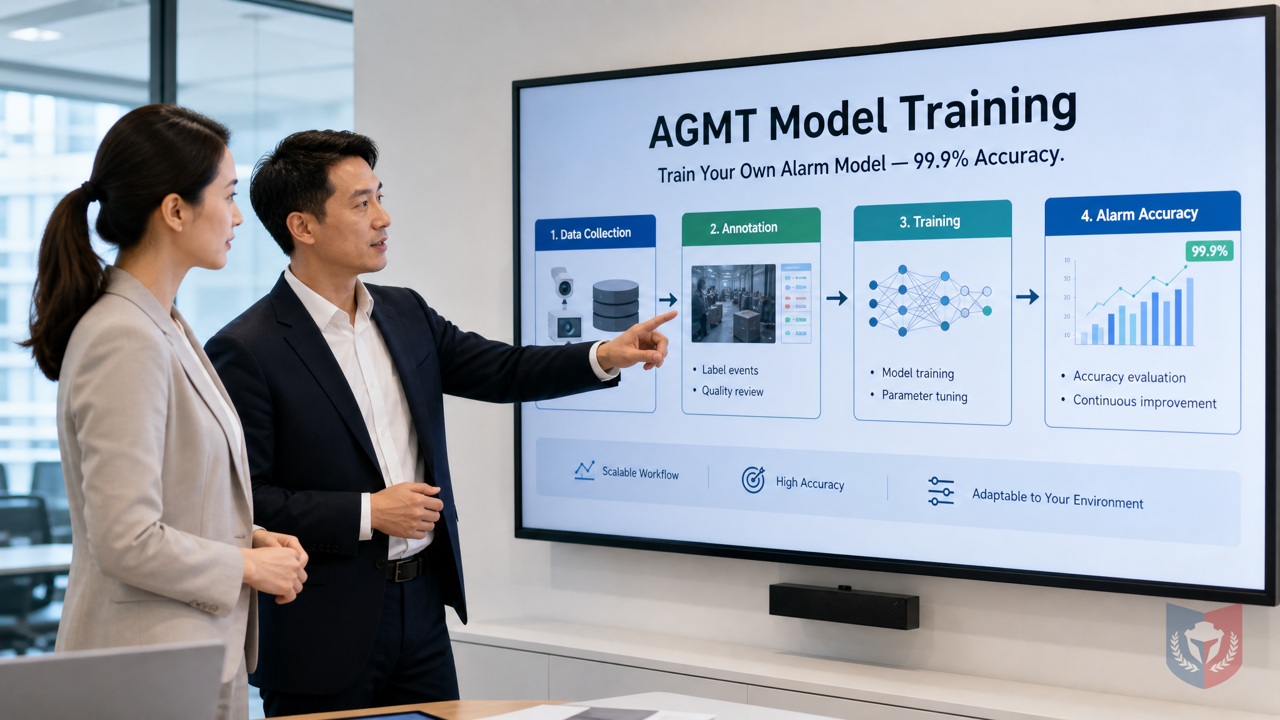
No professional AI knowledge required. Ordinary computer users can also build dedicated alarm models with up to 99.9% accuracy, saying goodbye to traditional false alarm troubles.
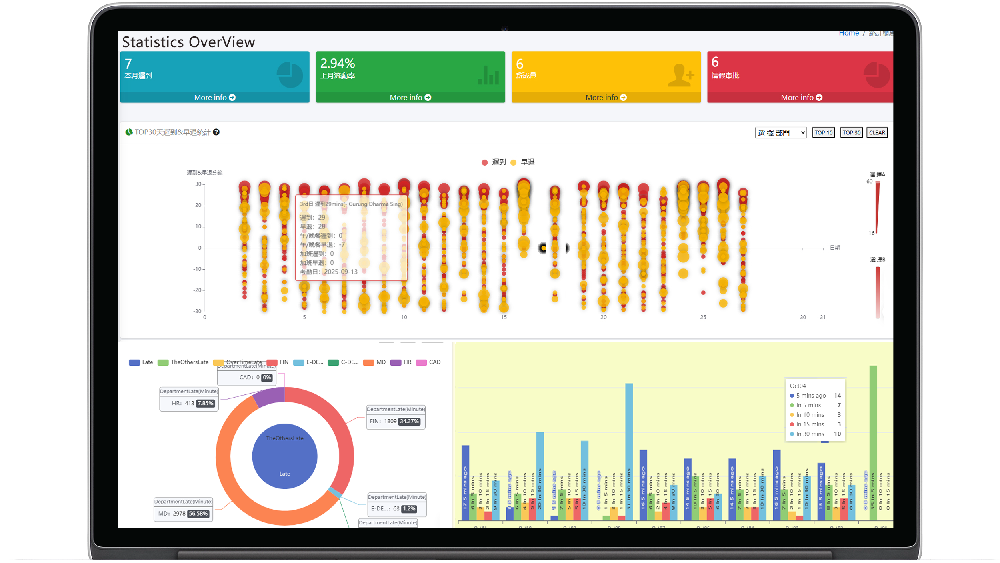
Time & Payroll Suite
Attendance, Payroll and Access Control Solution for Cost Reduction and Productivity Gains Details
All‑in‑one automated timekeeping and payroll system with robust, secure processes to guarantee payroll integrity. Includes leave management, shift rostering, multi‑site and chain support, multi‑ledger accounting, and comprehensive modules.
I. Breaking Down the Problem | Why General AI Models Always Fall Short at the Last Step
1.1 The Customer's Pain: Prebuilt Models Don't Recognize "My World"
1.1.1 Every Scene Is Different, but Templates Are All the Same
Traditional security monitoring systems, whether analog alarms or digital electronic alarms, mostly use prebuilt general AI models. These models perform acceptably in laboratory environments, but once they reach real-world scenes they become a poor fit. Factory steam, tree shadows on street corners, and shopping mall foot traffic can all be misjudged as intrusions. In the end, every scene is different, but prebuilt models are all the same, so naturally they struggle to meet personalized needs.
1.1.2 Specialized Target Recognition Is the Essence of Monitoring
What is the essence of monitoring? It is accurately recognizing "the targets you care about." For example, a warehouse needs to distinguish employees from strangers, a construction site needs to detect whether safety helmets are worn, and a farm needs to drive away wild animals. General models cannot understand these specialized needs, leading to frequent false alarms. And the cost of false alarms goes far beyond annoyance—the incident in which the fire alarm bells at Wang Fuk Court were turned off is a painful lesson: because the system frequently raised false alarms, management staff could not bear the disturbance and eventually turned off the fire alarm bells, planting hidden safety risks.
1.1.3 You Want to Upload Your Own Data, but Don't Know Where to Start
Many users realize they need custom models and have accumulated a large number of on-site photos and videos, but when faced with professional processes such as data annotation and model training, they are often at a loss. Without a professional AI team, must they simply make do with general models that raise false alarms again and again?
1.2 Breaking Down the Problem: The AI GUARD Model Training Subsystem
1.2.1 One-Sentence Selling Point: Let the Device Learn You, Not You Accommodate the Device
The AI GUARD Model Training Subsystem (AGMT) was created precisely to solve the pain points above. Its core idea is simple: let the device learn your scene, rather than you accommodating the device's limitations. With AGMT, you can use data you collect yourself to train a dedicated AI alarm model, raising alarm accuracy to 99.9% and saying goodbye to false alarm troubles.
1.2.2 Role Division of the Three Programs
The AGMT subsystem works through three core programs, each with its own role:
1.2.2.1 AGMT Cloud — Cloud Command Center
AGMT Cloud is the command center of the entire training workflow. It manages datasets, annotation tasks, and training task scheduling, and provides an intuitive operation interface so users can complete all operations in a browser without installing any software.
1.2.2.2 AGMT Edge — On-Site Compute Engine
AGMT Edge is deployed on GPU nodes within the local area network and is responsible for the actual model training. Keeping compute on site not only ensures training speed but also ensures data privacy—sensitive images do not need to be uploaded to the cloud and are processed locally throughout.
1.2.2.3 AiGuardCloudApp — One-Click Deployment Hub
AiGuardCloudApp is the bridge connecting the cloud and the edge, and also the hub for putting models online. Trained models can be deployed to front-end devices with one click through it, taking effect immediately without complex configuration.
II. Feature Overview | From a Single Image to a Custom Model
2.1 Data Collection: Assets Are the Capital for Training
2.1.1 Image and Video Upload, Multi-Tenant Isolation
AGMT supports users in uploading images and videos as training material. The system uses a multi-tenant isolation design, so different users' data remain independent, ensuring information security. Whether it is on-site photos taken with a mobile phone or surveillance video clips, they can all be uploaded easily.
2.1.2 Automatic Video Frame Extraction, Turn One Second into Samples
For video files, AGMT provides automatic frame extraction, which can extract key frames at set intervals and quickly turn a video into a large number of training samples. The tedious work that originally required manual screenshots can now be completed in one second.
2.1.3 One Image, Multiple Uses: The Same Asset Can Belong to Multiple Datasets
The same image can be used for multiple different training tasks at the same time. For example, an image of a warehouse entrance can be used both to train a "person detection" model and to train a "vehicle recognition" model. AGMT allows the same asset to be flexibly assigned to multiple datasets, maximizing data value.
2.2 Annotation: Drawing Boxes Is Teaching
2.2.1 Browser-Based Box Drawing, Zero Installation, Zero Code
Annotation is a crucial part of the training process. AGMT provides a browser-based annotation tool. Users only need to drag boxes on images to mark target objects. The entire process requires zero installation and zero code, and ordinary computer users can easily get started.
2.2.2 Each Box Saved Independently, Different Tasks Each Have Their Own Annotation Set
The system supports independent saving of each annotation box, and different training tasks can have their own annotation sets. For example, in the same scene, Task A annotates "person" and Task B annotates "vehicle," without interfering with each other, making it flexible and efficient.
2.2.3 Snapshot Mechanism: Freeze Samples, Make Training Reproducible
AGMT introduces a snapshot mechanism that can "freeze" the current dataset and annotation state into a snapshot. Each training run is based on a snapshot, ensuring the training process is reproducible and traceable, and also facilitating subsequent iterative optimization.
2.3 Training: Compute Stays On Site, Privacy Never Leaves
2.3.1 Local Area Network GPU Nodes, Taking the Initiative
AGMT Edge uses GPU nodes within the local area network for model training. Compute stays on site, and data privacy never leaves. Users do not need to purchase additional cloud compute, nor do they need to worry about the risk of data leakage.
2.3.2 Three Codename Lines, Choose Speed or Accuracy as Needed
To meet the needs of different scenarios for training speed and accuracy, AGMT provides three training codename lines:
2.3.2.1 AG5 Series: Classic and Robust
The AG5 series is a classic and robust training configuration, suitable for scenarios with high stability requirements. While ensuring training results, it also takes resource consumption into account, making it the first choice for most users.
(Note: According to the outline, only the AG5 series is listed; other codename lines are not mentioned, so they are not expanded here.)
Conclusion: Precise Alarms, Under Your Control
With AGMT, starting from a single image and going through the three steps of data collection, annotation, and training, anyone can build a dedicated AI alarm model and train alarm accuracy to 99.9%. Compared with the frequent false alarms of traditional digital alarms, AI GUARD not only improves security but also makes management more worry-free. Whether you are a security system integrator or an end user, you can benefit from it. Start now and let the device learn your world!

















Featured Reviews
No reviews yet. Be the first to leave one.
Write a review
Supports bold and lists; do not paste external scripts or images
0 / 2000
Visible after review