How Does AI Alert Training Achieve 99.9% Accuracy? Decoding AGMT's Three Core Procedures
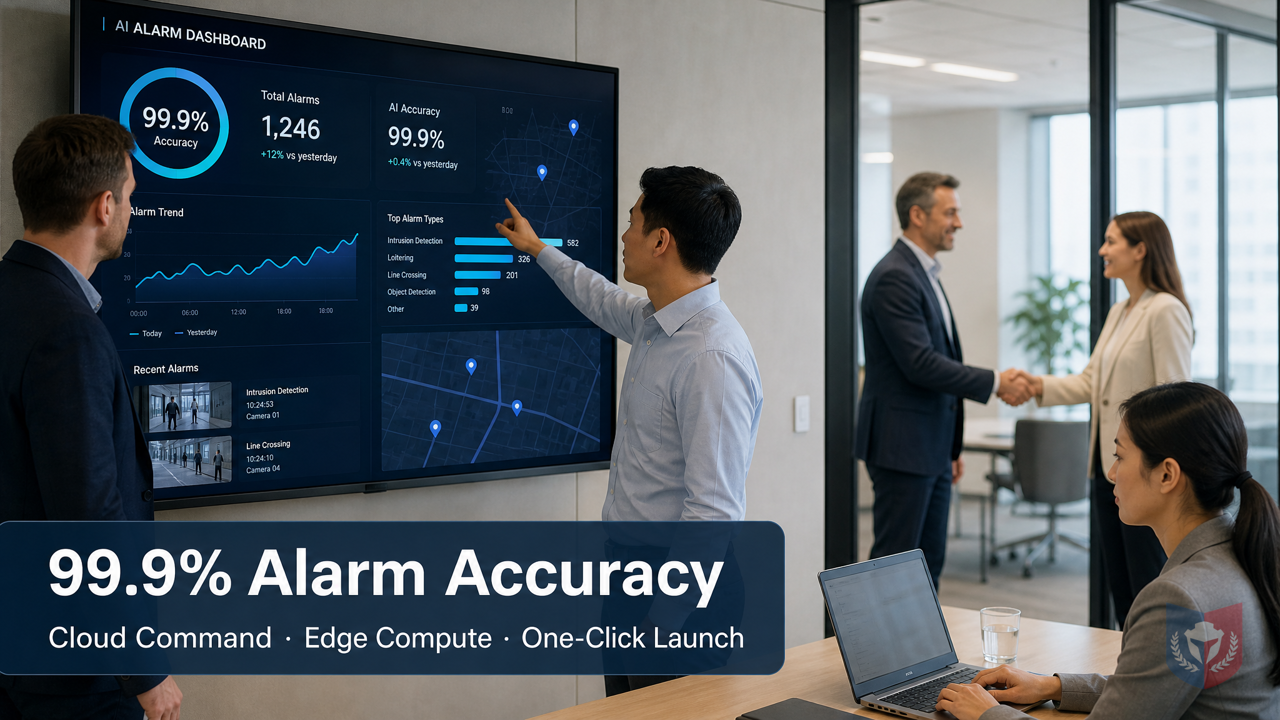
Generic AI models always fall just short? AGMT lets devices learn you, instead of you accommodating the device. Cloud command, edge computing, one-click deployment—anyone can operate it, and precise protection is no longer just talk.
Time & Payroll Suite
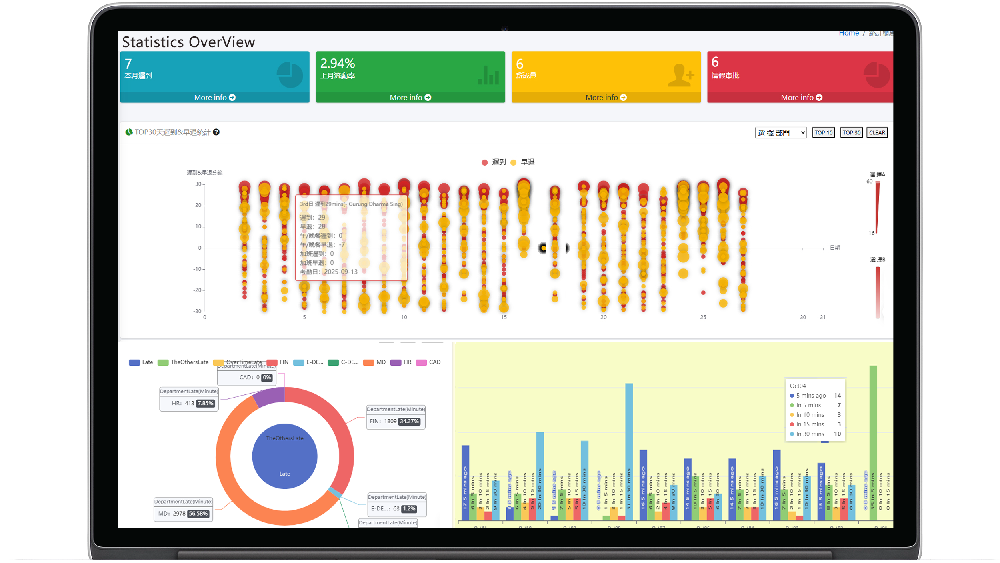
Attendance, Payroll and Access Control Solution for Cost Reduction and Productivity Gains Details
All‑in‑one automated timekeeping and payroll system with robust, secure processes to guarantee payroll integrity. Includes leave management, shift rostering, multi‑site and chain support, multi‑ledger accounting, and comprehensive modules.
I. Breaking the Topic | Why General AI Models Always Fall Short at the "Final Step"
1.1 The Customer's Pain: Pre-built Models Don't Recognize "My World"
1.1.1 Scenarios Vary Endlessly, but Templates Are All the Same
In the security surveillance field, many customers have had this experience: the AI cameras they bought claim to recognize people and vehicles, but the moment they're deployed on their own site, they frequently miss the mark. Workers wearing safety helmets in a factory are misjudged as intruders, trucks in a parking lot are taken for sedans, cardboard boxes in a warehouse corner are flagged as suspicious items... Scenarios vary endlessly, but the manufacturer's pre-built models are all the same and cannot adapt to each user's unique needs.
1.1.2 Specialized Target Recognition Is the Essence of Surveillance
The essence of surveillance is not recognizing "generic people," but recognizing "the targets you should care about in your world." For example, a kindergarten needs to focus on whether anyone is left behind, a construction site needs to detect whether safety helmets are worn, and a convenience store needs to distinguish customers from suspicious loiterers. General models cannot understand these specialized needs, resulting in low alarm accuracy, and users have to turn off the alarm function, which instead plants hidden safety risks.
1.1.3 Uploading Your Own Data, Yet Not Knowing Where to Start
Some users try to train models with their own data, but faced with complex training platforms and obscure parameter settings, they often don't know where to start. Even if they manage to train, the results are poor due to a lack of professional knowledge, and they ultimately give up.
1.2 Breaking the Topic: AI GUARD Model Training Subsystem
1.2.1 One-Sentence Selling Point: Let the Device Learn You, Not You Accommodate the Device
The AI GUARD Model Training Subsystem (AGMT) was born precisely to solve these pain points. Its core selling point is: let the device learn your scenario, not you accommodate the device's pre-built model. Through simple operations, ordinary computer users can also train specialized high-accuracy models, raising alarm accuracy to 99.9%.
1.2.2 Role Division of the Three Programs
AGMT works through three programs, each fulfilling its own role, forming a complete training loop.
1.2.2.1 AGMT Cloud — Cloud Command Center
AGMT Cloud is the cloud command center of the entire system, responsible for managing projects, coordinating resources, and storing datasets and model versions. Users can easily manage multiple training tasks in a browser without installing any software. The multi-tenant isolation mechanism ensures that different users' data is secure and independent.
1.2.2.2 AGMT Edge — On-Site Computing Power Engine
AGMT Edge is the computing power engine deployed within the local area network, using on-site GPU nodes for model training. The benefit of this is: training data never leaves the site, maximizing privacy protection; at the same time, using edge computing power makes training faster and lower in cost.
1.2.2.3 AiGuardCloudApp — One-Click Deployment Dispatch Station
AiGuardCloudApp is the dispatch station for model deployment. Trained models can be distributed to edge devices or cameras with one click, without complex configuration, greatly simplifying the deployment process.
II. Feature Overview | From a Single Image to a Custom Model
2.1 Data Collection: Assets Are the Capital for Training
2.1.1 Image and Video Upload, Multi-Tenant Isolation
Users can upload images or videos via the web as training material. The system uses multi-tenant isolation to ensure that each user's data is stored independently without interference.
2.1.2 Automatic Video Frame Extraction, One Second to Samples
For video files, the system supports automatic frame extraction, quickly converting videos into image samples, greatly saving the time of manual screenshots.
2.1.3 One Image, Multiple Uses: The Same Asset Can Enter Multiple Datasets
The same image can be added to different datasets for training different recognition tasks. For example, an image containing both people and vehicles can be placed in the "Person Detection" dataset and also in the "Vehicle Detection" dataset, achieving asset reuse.
2.2 Annotation: Drawing Boxes Is Teaching
2.2.1 Browser Box Drawing, Zero Installation, Zero Code
The annotation process is entirely done in the browser. Users only need to use the mouse to draw boxes on images and select categories to complete annotation. Zero installation, zero code, anyone can get started quickly.
2.2.2 Each Box Saved Independently, Separate Annotations for Different Tasks
Each annotation box is stored independently, and different tasks can have their own annotation sets without affecting each other. This allows the same data to be flexibly used for multiple training tasks.
2.2.3 Snapshot Mechanism: Freeze Samples, Reproducible Training
The system provides a snapshot mechanism that can freeze the current dataset state, ensuring that the samples used in each training session are consistent and that training results are reproducible, facilitating comparison and optimization.
2.3 Training: Computing Power Stays On-Site, Privacy Never Leaves
2.3.1 LAN GPU Nodes, Taking the Initiative
Training is conducted on GPU nodes within the local area network, and data does not need to be uploaded to the cloud, ensuring privacy and security. At the same time, edge computing power takes the initiative, making training more efficient.
2.3.2 Three Codename Lines, Choose Speed or Accuracy
AGMT provides three training codename lines to meet the speed and accuracy requirements of different scenarios.
2.3.2.1 AG5 Series: Classic and Robust
The AG5 series is the classic and robust training line, suitable for scenarios with high stability requirements. The trained models have high accuracy and strong generalization ability.
(Other codename lines are introduced according to actual conditions, but the outline only lists the AG5 series, so no expansion is provided)
III. The Guarantee of 99.9% Accuracy: From Pain Points to Solutions
Traditional digital alarm systems commonly have false alarm problems. For example, the incident of the fire alarm bell being turned off at Wang Fuk Court was precisely because frequent false alarms led users to turn off the alarm, creating hidden safety risks. AI-GUARD, through the AGMT training system, allows users to customize models for their own scenarios, and through the collaboration of three programs, raises alarm accuracy to 99.9%. The entire process requires no professionals; ordinary computer operators can complete it, truly realizing the concept of "letting the device learn you."
How do the three AGMT programs collaborate to achieve 99.9% alarm accuracy? Cloud command, edge computing power, one-click deployment — even ordinary people can operate it. This is not only a technological breakthrough but also a deep understanding of user needs. Choosing AI-GUARD means choosing a guarantee of precision.


















Featured Reviews
No reviews yet. Be the first to leave one.
Write a review
Supports bold and lists; do not paste external scripts or images
0 / 2000
Visible after review