AI Alerts and Custom Alert Training: Inject a Dedicated Model into MediaGuard AI Intelligent Recognition Alerts
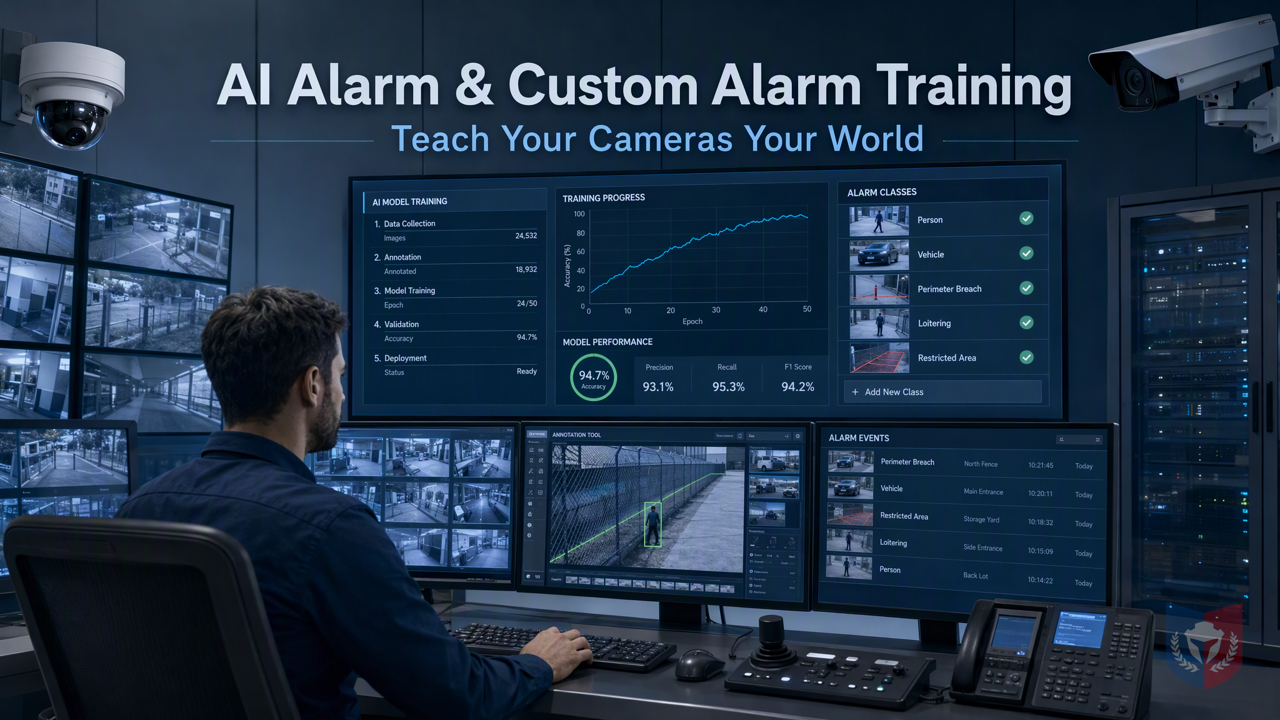
Generic AI models always fall just short? The AI GUARD model training subsystem lets ordinary computer users easily customize dedicated CCTV image recognition alert models without professional programming, so your devices truly learn your world.
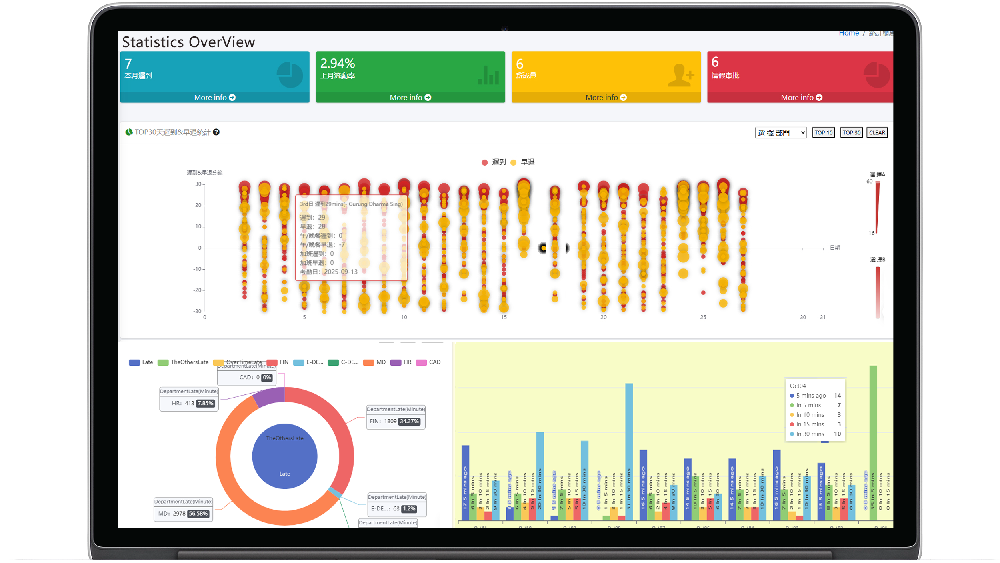
Time & Payroll Suite
Attendance, Payroll and Access Control Solution for Cost Reduction and Productivity Gains Details
All‑in‑one automated timekeeping and payroll system with robust, secure processes to guarantee payroll integrity. Includes leave management, shift rostering, multi‑site and chain support, multi‑ledger accounting, and comprehensive modules.
I. Topic Introduction | Why General AI Models Always Fall Short at the "Final Step"
1.1 The Customer's Pain Point: Pre-built Models Don't Recognize "My World"
When deploying CCTV systems, many enterprises often assume that simply adding AI features solves everything. However, after actual use, they find that general AI models often cannot accurately identify the key targets in their own scenes. The problem is not that the AI isn't smart enough, but that it has never learned your "world."
1.1.1 Scenes Vary Widely, but Templates Are All the Same
Every site has a unique environment: hazardous areas in a factory, specific vehicle types in a parking lot, the way goods are arranged in a warehouse, and even the angle of light all differ. Most pre-built AI models on the market are trained on general datasets and struggle to cover these details, leading to frequent false alarms or missed detections.
1.1.2 Target-Specific Recognition Is the Essence of Surveillance
The core value of surveillance lies in "discovering the events you care about." If AI can only recognize broad categories of objects (such as people and vehicles) but cannot distinguish between "uniformed employees" and "unauthorized visitors," or between "normally stacked goods" and "abnormally scattered items," then alarms lose their meaning. Target-specific recognition is the key to achieving precise surveillance.
1.1.3 Uploading Your Own Data, Yet Not Knowing Where to Start
Some users try to upload their own images or videos to train models, only to find the process complicated: it requires annotation, parameter tuning, and deployment, each step involving specialized knowledge. For ordinary computer operators, this threshold is simply too high.
1.2 Breaking Through: AI GUARD Model Training Subsystem
1.2.1 One-Sentence Selling Point: Let the Device Learn You, Not You Accommodate the Device
This is exactly the design philosophy of the AI GUARD Model Training Subsystem: rather than forcing the use of a general model, let the device learn your specific scene. Through a simple operation interface, even those without an AI background can train models that meet their needs.
1.2.2 Role Division of the Three Major Programs
The system consists of three core programs, each with its own role, making the training process smooth and unobstructed.
1.2.2.1 AGMT Cloud — Cloud Command Center
AGMT Cloud is responsible for coordinating the entire training process, including data management, task scheduling, and model version control. It acts like a cloud command center, allowing users to monitor training progress anytime, anywhere through a browser without installing additional software.
1.2.2.2 AGMT Edge — On-Site Computing Power Engine
AGMT Edge is deployed on GPU nodes within the local area network and is responsible for the actual model training. Keeping computing power on-site not only reduces the privacy risk of data being transmitted externally, but also leverages local hardware to accelerate training and improve efficiency.
1.2.2.3 AiGuardCloudApp — One-Click Online Deployment Hub
AiGuardCloudApp is the bridge connecting the cloud and the edge, providing a one-click online deployment feature. Trained models can be quickly deployed through this application to the MediaGuard AI intelligent recognition alarm system and take effect immediately.
II. Feature Overview | From a Single Image to a Custom Model
2.1 Data Collection: Assets Are the Capital for Training
The first step in training a model is collecting data. The system provides multiple methods to help users easily build their own datasets.
2.1.1 Image and Video Upload, Multi-Tenant Isolation
Users can directly upload image or video files. The system supports multi-tenant isolation, ensuring that different customers' data remain independent and secure.
2.1.2 Automatic Video Frame Extraction, Turn One Second into a Sample
For video files, the system can automatically extract frames, converting continuous footage into single-image samples. Users do not need to manually take screenshots, greatly saving time.
2.1.3 One Image, Multiple Uses: The Same Asset Can Be Added to Multiple Datasets
The same image can be used simultaneously in multiple datasets, for example, to train "person recognition" and "helmet detection" models. This flexibility maximizes the value of data assets.
2.2 Annotation: Drawing Boxes Is Teaching
Annotation is a crucial part of the training process, and the system provides intuitive tools to make annotation simple.
2.2.1 Browser-Based Box Drawing, Zero Installation, Zero Code
Users simply open an image in the browser and use the mouse to draw boxes around target objects. The entire process requires no software installation and no coding, truly achieving zero threshold.
2.2.2 Each Box Saved Independently, Separate Annotation Sets for Different Tasks
Each annotation box is saved independently, and different training tasks can have their own annotation sets. For example, Task A annotates people, and Task B annotates vehicles, without interfering with each other.
2.2.3 Snapshot Mechanism: Freeze Samples, Reproducible Training
The system provides a snapshot mechanism that can freeze the dataset state at a certain moment, ensuring that subsequent training uses the same data and achieving reproducible training results. This is very helpful for model iteration and version management.
2.3 Training: Computing Power Stays On-Site, Privacy Never Leaves
The training phase fully utilizes GPU resources within the local area network, balancing efficiency and privacy.
2.3.1 Local Area Network GPU Nodes, Proactive Execution
AGMT Edge can be deployed on GPU nodes within the local area network to proactively execute training tasks. Users do not need to upload data to the cloud, reducing latency and privacy concerns.
2.3.2 Three Codename Lines, Choose Between Speed and Precision
The system provides three training codename lines to meet different needs.
2.3.2.1 AG5 Series: Classic and Robust
The AG5 series is a classic training configuration that balances speed and precision, suitable for most scenarios.
(Other codename lines can be supplemented according to actual conditions, but they are not mentioned in the outline, so they are omitted.)
III. Providing Model Support for MediaGuard AI Intelligent Recognition Alarms
The AI GUARD Model Training Subsystem is designed specifically for MediaGuard AI intelligent recognition alarms. Trained models can be directly applied to this system to achieve customized graphical recognition alarms. Whether it is personnel behavior analysis, item status detection, or environmental anomaly monitoring, dedicated models can improve accuracy.
IV. Business Returns and Purchasing Considerations
Investing in AI alarms and a custom alarm training system can bring significant returns to enterprises: reducing false alarm rates, improving response speed to security incidents, and reducing manual monitoring costs. When purchasing, consider the system's ease of use, whether it supports multi-tenant isolation, whether the training process is intuitive, and whether it can seamlessly integrate with existing CCTV systems. The AI GUARD Model Training Subsystem performs excellently in all the above aspects and is an ideal choice that even ordinary computer operators can easily master.
Through AI alarms and custom alarm training, enterprises can create dedicated intelligent alarm models without a professional AI team, making the surveillance system truly fit business needs.






























Featured Reviews
No reviews yet. Be the first to leave one.
Write a review
Supports bold and lists; do not paste external scripts or images
0 / 2000
Visible after review