From a Single Image to a Custom Model: A Complete Overview of AI GUARD Model Training and Its Practical Applications
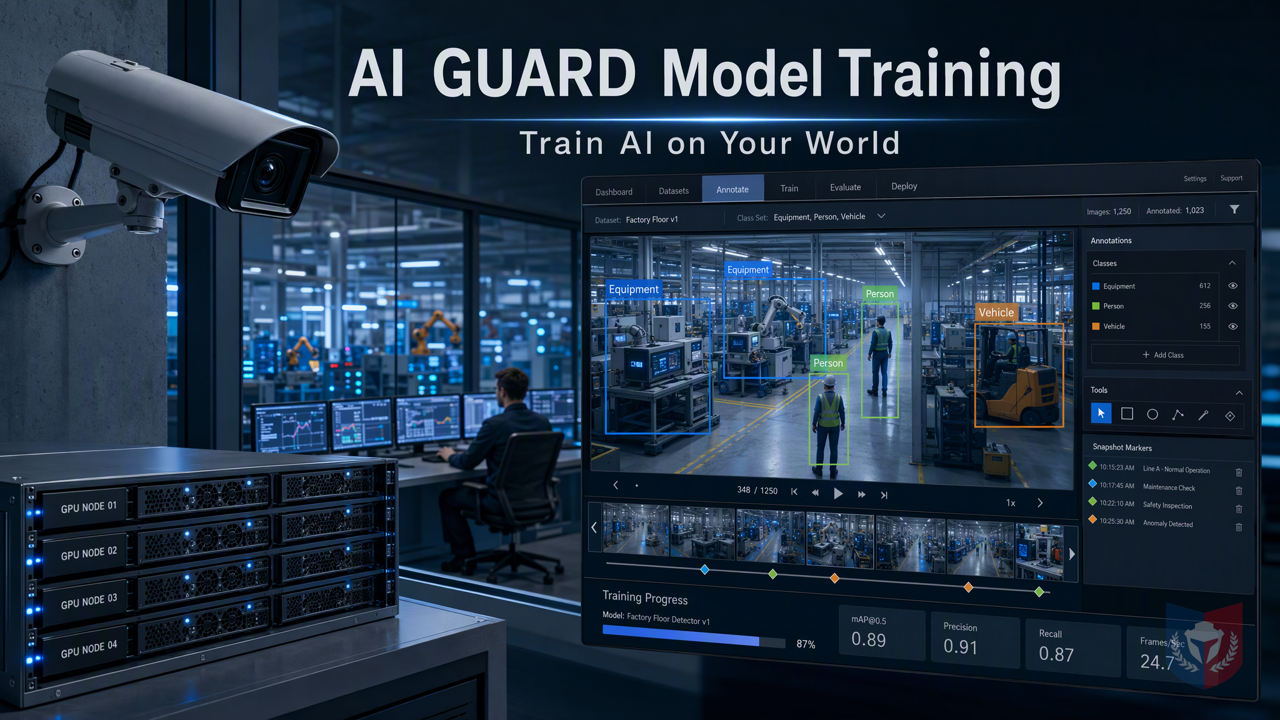
No specialists required—anyone who can operate a computer can get started. The AI GUARD model training subsystem lets devices learn your scenes, providing a practical solution for CCTV image recognition alerts.
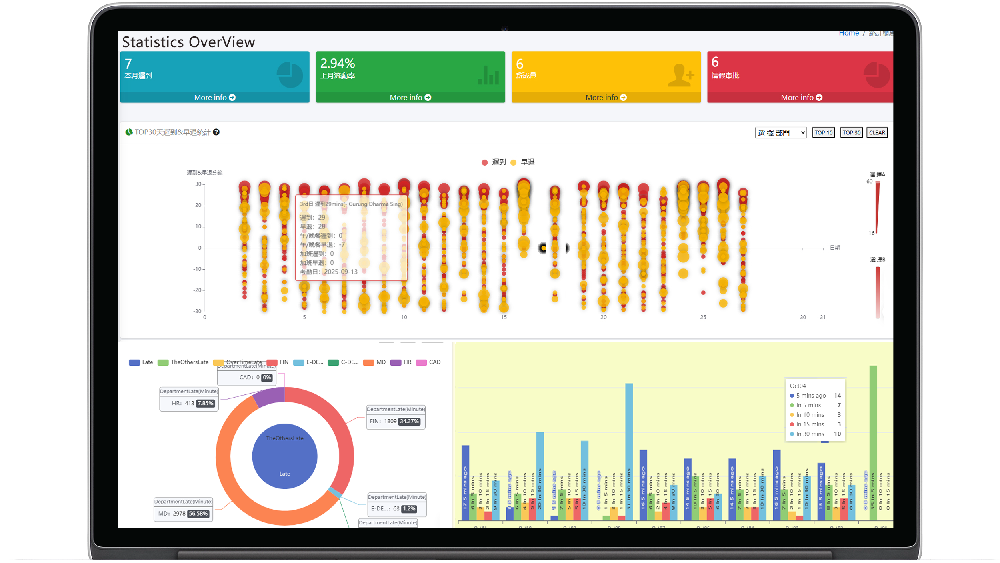
Time & Payroll Suite
Attendance, Payroll and Access Control Solution for Cost Reduction and Productivity Gains Details
All‑in‑one automated timekeeping and payroll system with robust, secure processes to guarantee payroll integrity. Includes leave management, shift rostering, multi‑site and chain support, multi‑ledger accounting, and comprehensive modules.
I. Breaking Down the Topic | Why General AI Models Always Fall Short at the "Final Step"
1.1 The Customer's Pain: Pre-Built Models Don't Recognize "My World"
1.1.1 Scenarios Vary Endlessly, Yet Templates Are All the Same
In the security surveillance field, general AI models are often trained on public datasets and struggle to adapt to ever-changing real-world scenarios. Small parts on a factory assembly line, specific vehicle models in a parking lot, special displays in a retail store—general models often overlook these recognition targets in "my world."
1.1.2 Specialized Recognition Targets Are the Essence of Surveillance
The core of surveillance lies in accurately recognizing the targets users care about. Whether it's intruders in perimeter defense, contraband in a warehouse, or defective products on a production line, only specialized models can accurately trigger alarms and reduce false alarms and missed detections.
1.1.3 Uploading Your Own Data, Yet Not Knowing Where to Start
Many users realize they need to train models with their own data, but are deterred by complex training workflows, professional annotation tools, and high computing costs. Even after uploading data, they lack a clear path from data to model.
1.2 Breaking Down the Topic: AI GUARD Model Training Subsystem
1.2.1 One-Sentence Selling Point: Let the Device Learn You, Not You Accommodate the Device
The AI GUARD Model Training Subsystem is designed to solve the above pain points, enabling users to train specialized models with their own data without professional knowledge, so that surveillance devices truly understand the user's scenario.
1.2.2 Role Division of the Three Programs
1.2.2.1 AGMT Cloud — Cloud Command Center
As a cloud management platform, AGMT Cloud is responsible for dataset management, annotation task assignment, and training task scheduling, providing an intuitive operation interface that lets users easily manage the entire model training process.
1.2.2.2 AGMT Edge — On-Site Computing Engine
AGMT Edge is deployed on GPU nodes within the local area network, using on-site computing power for model training to ensure data privacy stays on-site while reducing dependence on cloud resources.
1.2.2.3 AiGuardCloudApp — One-Click Deployment Hub
AiGuardCloudApp is a mobile application that provides one-click deployment, making it convenient for users to monitor training progress anytime and anywhere, and to quickly deploy trained models to the AI alarm system.
II. Feature Overview | From a Single Image to a Custom Model
2.1 Data Collection: Assets Are the Capital for Training
2.1.1 Image and Video Upload, Multi-Tenant Isolation
Users can upload image and video files via the web or mobile app. The system supports multi-tenant isolation, ensuring that different users' data is secure and independent without interference.
2.1.2 Automatic Video Frame Extraction, One Second to Samples
For video files, the system provides automatic frame extraction, which can automatically extract key frames at set intervals, quickly converting long videos into large numbers of training samples and greatly improving data preparation efficiency.
2.1.3 One Image, Multiple Uses: The Same Asset Can Belong to Multiple Datasets
The same image or video asset can be referenced by multiple datasets without repeated uploading, making it convenient for users to build diverse training sets for different tasks and achieve data reuse.
2.2 Annotation: Drawing Boxes Is Teaching
2.2.1 Browser-Based Box Drawing, Zero Installation, Zero Code
The annotation process is performed entirely in the browser. Users do not need to install any software or write code—simply drag boxes with the mouse to complete target annotation, making the operation simple and intuitive.
2.2.2 Each Box Stored Independently, Separate Annotations for Different Tasks
Each annotation box is stored independently, and users can create different annotation sets for different tasks without affecting each other. For example, the same image can be used for both "person detection" and "vehicle detection" tasks, annotated separately.
2.2.3 Snapshot Mechanism: Freeze Samples, Reproducible Training
The system provides a snapshot mechanism that can freeze the dataset state at a certain moment, ensuring that the sample set used during training remains consistent, achieving reproducibility of the training process and facilitating version management and result comparison.
2.3 Training: Computing Power Stays On-Site, Privacy Never Leaves
2.3.1 LAN GPU Nodes, Taking the Initiative
Training tasks are executed by GPU nodes deployed within the local area network. Data does not need to be uploaded to the cloud, which both ensures privacy and security and makes full use of existing hardware resources, reducing bandwidth costs.
2.3.2 Three Pipelines, Choose Speed or Precision
The system provides three training pipelines to meet the speed and precision requirements of different scenarios:
2.3.2.1 AG5 Series: Classic and Robust
The AG5 series training pipeline focuses on stability and generalization capability, suitable for scenarios with high accuracy requirements. Training time is relatively longer, but model performance is reliable.
(Other pipelines are described according to actual conditions, but the outline does not provide them, so they are omitted)
Conclusion
The AI GUARD Model Training Subsystem simplifies data collection, annotation, and training workflows, enabling even ordinary computer users to easily customize specialized models, providing solid model support for CCTV image recognition alarms. Whether you are a security surveillance contractor or a system integrator, you can use it to enhance solution competitiveness and achieve more precise and intelligent surveillance alarms.
























Featured Reviews
No reviews yet. Be the first to leave one.
Write a review
Supports bold and lists; do not paste external scripts or images
0 / 2000
Visible after review