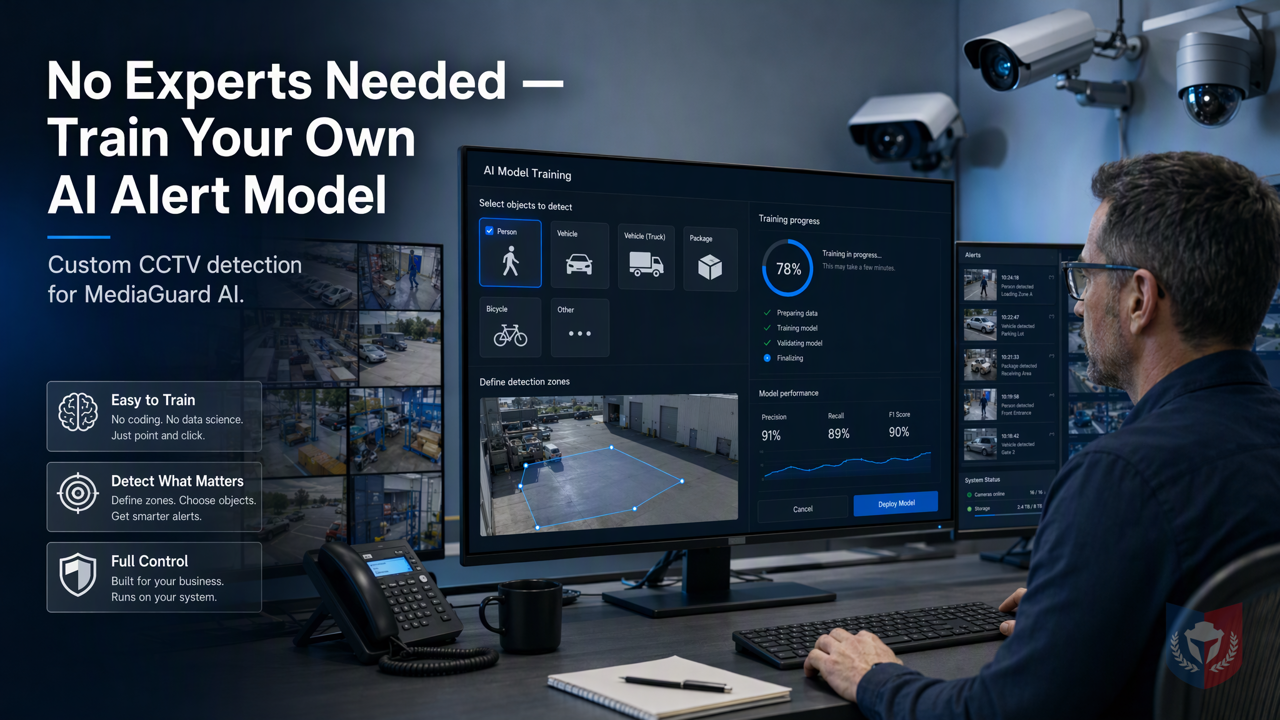
No Specialists Needed! AI GUARD Model Training Lets Ordinary Operators Easily Customize Alarm Models
Designed for small and medium business owners and property management personnel: no programming required. Ordinary computer users can use the AI GUARD model training subsystem to customize dedicated models for MediaGuard AI intelligent recognition alarms, enabling a practical CCTV image recognition alarm solution.
Time & Payroll Suite
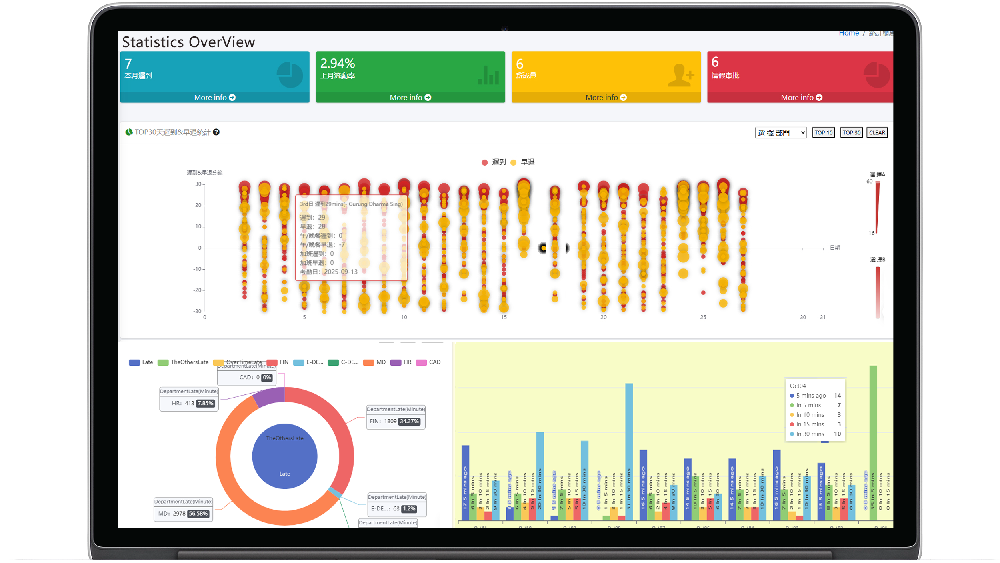
Attendance, Payroll and Access Control Solution for Cost Reduction and Productivity Gains Details
All‑in‑one automated timekeeping and payroll system with robust, secure processes to guarantee payroll integrity. Includes leave management, shift rostering, multi‑site and chain support, multi‑ledger accounting, and comprehensive modules.
I. Breaking Down the Topic | Why General AI Models Always Fall Short at the "Final Step"
1.1 The Customer's Pain: Pre-Built Models Don't Recognize "My World"
1.1.1 Scenarios Vary Endlessly, but Templates Are All the Same
Whether it's a factory entrance, a shopping mall's shelf area, or a residential estate's parking lot, every surveillance scenario has unique recognition needs. However, general-purpose AI models on the market are often trained on standardized samples and struggle to fit ever-changing real-world environments. The result: the camera captures it, but the system doesn't recognize it, and the alarm is effectively useless.
1.1.2 Specialized Target Recognition Is the Essence of Surveillance
The core value of surveillance lies in "recognizing the targets you care about." For example, property management staff may only want to detect someone intruding into a restricted area, not swaying tree shadows; retailers may only care about unusual lingering in front of shelves, not normal customer browsing. General models cannot distinguish these subtle differences, leading to frequent false alarms or missed critical events.
1.1.3 You Want to Upload Your Own Data, but Don't Know Where to Start
Many users realize they need to train models with their own data, but are often deterred by the complex AI training process. Without professional knowledge, without programming skills, they may not even know where to start collecting and labeling data. This dilemma of "having data but being unable to use it" is precisely the last mile of AI implementation.
1.2 Breaking Down the Topic: AI GUARD Model Training Subsystem
1.2.1 One-Sentence Selling Point: Let the Device Learn You, Not You Accommodate the Device
The design philosophy of the AI GUARD Model Training Subsystem is simple: let the device adapt to your scenario, not the other way around. Whether you're a small business owner or a property management staff member, as long as you can operate a computer, you can easily train a dedicated alarm model without professional assistance.
1.2.2 Role Division of the Three Major Programs
1.2.2.1 AGMT Cloud — Cloud Command Center
AGMT Cloud is the cloud control center for the entire training process. Here you can manage datasets, launch training tasks, monitor training progress, and deploy trained models to edge devices. It provides an intuitive web interface that lets you operate it like ordinary software.
1.2.2.2 AGMT Edge — On-Site Computing Power Engine
AGMT Edge is an edge computing node deployed within the local area network, responsible for executing the actual model training tasks. It uses on-site GPU resources for computation, ensuring data privacy stays on-site while reducing dependence on cloud bandwidth. After training is complete, the model can be directly applied to the local CCTV system.
1.2.2.3 AiGuardCloudApp — One-Click Deployment Dispatch Station
AiGuardCloudApp is the bridge connecting the cloud and the edge. Through this application, you can deploy trained models to designated cameras or recorders with one click, enabling rapid deployment. The entire process requires no technical background—just click to complete.
II. Feature Overview | From a Single Image to a Custom Model
2.1 Data Collection: Assets Are the Capital for Training
2.1.1 Image and Video Upload, Multi-Tenant Isolation
You can directly upload on-site images or video clips as training material. The system supports multi-tenant isolation, ensuring different users' data is securely separated and does not interfere with each other.
2.1.2 Automatic Video Frame Extraction, Samples in a Second
For video material, the system automatically extracts frames, converting continuous footage into single-image samples. You don't need to manually take screenshots, greatly saving data preparation time.
2.1.3 One Image, Multiple Uses: The Same Asset Can Enter Multiple Datasets
The same image can be used for multiple different training tasks simultaneously. For example, a parking lot image can be used to train a "vehicle recognition" model as well as a "person intrusion" model. This flexibility maximizes the value of data assets.
2.2 Labeling: Drawing Boxes Is Teaching
2.2.1 Browser-Based Box Drawing, Zero Installation, Zero Code
The labeling process is entirely done in the browser. You only need to use the mouse to draw bounding boxes around targets in the image and select the corresponding category (such as "person," "vehicle," "cargo"), and the teaching is complete. No software installation or code writing is required.
2.2.2 Each Box Saved Independently, Separate Label Sets for Different Tasks
Each labeling box is saved independently, and different training tasks can have their own label sets. This way, you can flexibly adjust for different scenarios without affecting each other.
2.2.3 Snapshot Mechanism: Freeze Samples, Reproducible Training
The system provides a snapshot feature that can "freeze" the current dataset and labeling state. This way, each training session uses the same set of samples, ensuring reproducible training results and making it easy to compare the effects of different training parameters.
2.3 Training: Computing Power Stays On-Site, Privacy Never Leaves
2.3.1 LAN GPU Nodes, Proactive Approach
Training tasks are executed on GPU nodes within the local area network, so data does not need to be uploaded to the cloud, and privacy is fully protected. At the same time, edge computing reduces network latency, making training more efficient.
2.3.2 Three Codename Lines, Choose Speed or Precision
The system offers three training modes to meet different needs:
2.3.2.1 AG5 Series: Classic and Robust
The AG5 series is a proven classic training mode that balances speed and precision, suitable for most conventional scenarios.
(Other modes to be supplemented according to actual conditions, but not provided in the outline, so omitted)
Through the AI GUARD Model Training Subsystem, small business owners and property management staff can easily customize alarm models without professionals. Whether to provide support for MediaGuard AI Intelligent Recognition Alarm or to implement any graphic recognition alarm based on a CCTV system, this AI Alarm and Custom Alarm Training system can provide a practical solution. Now, let your surveillance system learn "your world"!

















Featured Reviews
No reviews yet. Be the first to leave one.
Write a review
Supports bold and lists; do not paste external scripts or images
0 / 2000
Visible after review