New Security Monitoring Trend: AI GUARD Model Training Delivers Custom Alerts Without Privacy Leaving the Site
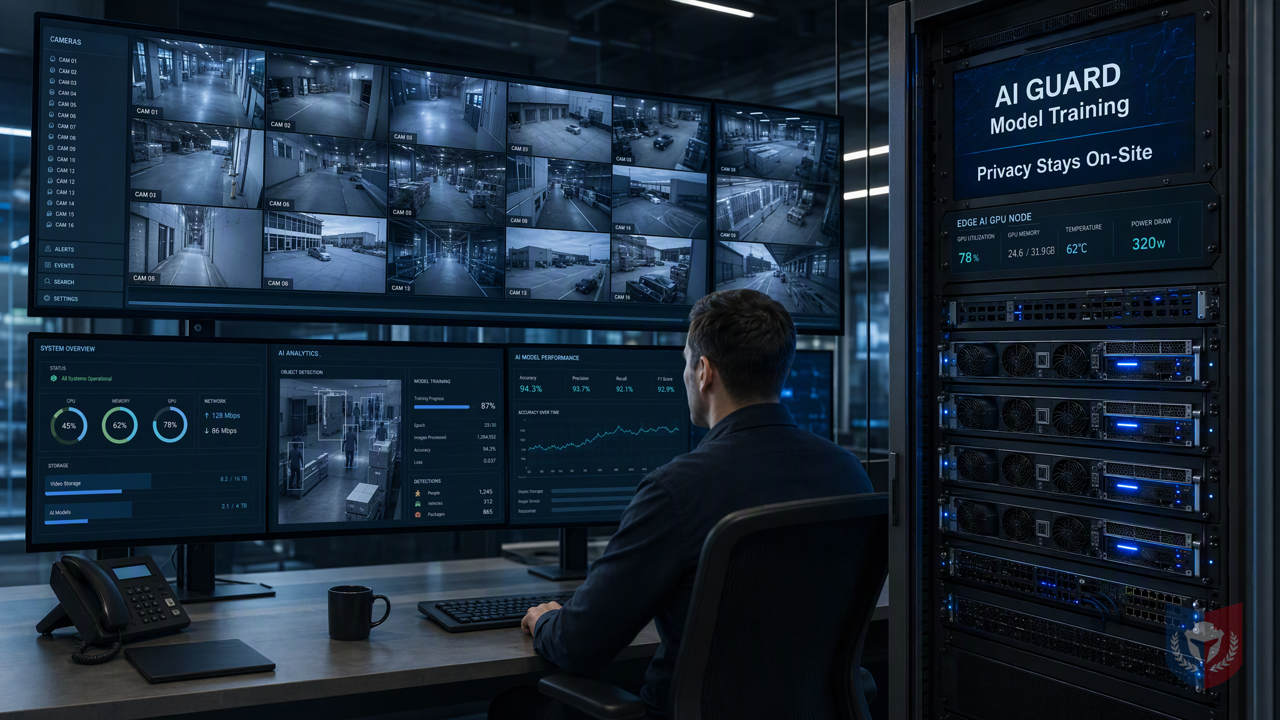
No specialists needed—anyone who can use a computer can do it! The AI GUARD model training subsystem lets devices learn you, instead of you adapting to the device. Compute stays on site, privacy never leaves, providing a practical solution for CCTV image recognition.
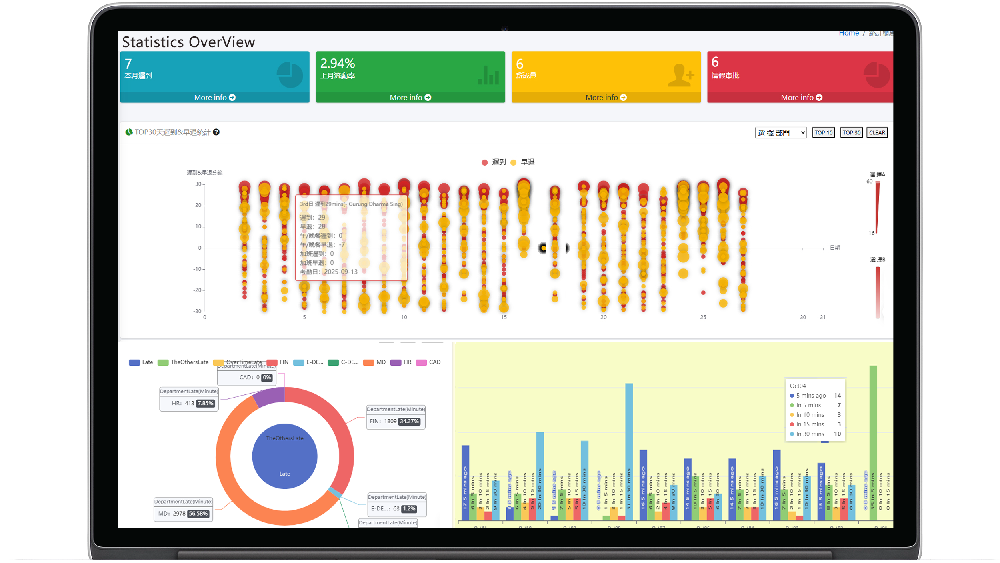
Time & Payroll Suite
Attendance, Payroll and Access Control Solution for Cost Reduction and Productivity Gains Details
All‑in‑one automated timekeeping and payroll system with robust, secure processes to guarantee payroll integrity. Includes leave management, shift rostering, multi‑site and chain support, multi‑ledger accounting, and comprehensive modules.
I. Topic Introduction | Why General AI Models Always Fall Short at the "Final Step"
In the field of security surveillance, AI video analytics has become an indispensable tool. However, many enterprises find that after deploying general AI models, the actual results always fall short of expectations. Where exactly is the problem?
1.1 The Customer's Pain: Prebuilt Models Don't Recognize "My World"
1.1.1 Scenarios Vary Widely, but Templates Are All the Same
Every surveillance scenario has its own uniqueness: factory production lines need to identify specific part defects, retail stores care about customer behavior patterns, and office buildings focus on personnel access management. But most prebuilt models on the market are trained on general datasets and struggle to fit ever-changing real-world needs.
1.1.2 Specialized Recognition Targets Are the Essence of Surveillance
The core value of surveillance lies in "recognizing the events you truly care about." General models may be able to recognize common objects such as human figures and vehicles, but they often fall short for enterprise-specific recognition targets (such as specific uniforms, special machinery, custom gestures, etc.).
1.1.3 You Have Your Own Data to Upload, but Don't Know Where to Start
Many enterprises have large amounts of surveillance footage but lack effective tools to turn this data into usable AI models. Even if they want to train a dedicated model, they face challenges such as high technical barriers, complex processes, and privacy concerns.
1.2 Introduction: AI GUARD Model Training Subsystem
In view of this, we introduce the AI GUARD Model Training Subsystem, designed specifically to solve the pain points above.
1.2.1 One-Sentence Selling Point: Let the Device Learn You, Not You Accommodate the Device
The core spirit of the AI GUARD Model Training Subsystem is to enable surveillance devices to learn your dedicated needs and build intelligent alarm models that truly fit the scenario. No professional AI knowledge is required; ordinary computer users can easily get started.
1.2.2 Role Division of the Three Major Programs
The system consists of three core programs, each performing its own role and working together:
1.2.2.1 AGMT Cloud — Cloud Command Center
AGMT Cloud is the hub of the entire training workflow, responsible for project management, dataset creation, annotation task assignment, and training task scheduling. It provides an intuitive web interface that lets users manage training projects anytime, anywhere.
1.2.2.2 AGMT Edge — On-Site Computing Power Engine
AGMT Edge is deployed on GPU nodes within the local area network and is responsible for the actual model training work. All training data and models remain on-site, ensuring privacy never leaves the premises while reducing the cloud burden.
1.2.2.3 AiGuardCloudApp — One-Click Online Send/Receive Station
AiGuardCloudApp is the bridge connecting the cloud and the edge, providing functions such as one-click data upload, model download, and deployment updates, making model rollout effortless.
II. Feature Overview | From a Single Image to a Custom Model
The AI GUARD Model Training Subsystem provides a complete workflow, enabling users to go from data collection to model deployment in one seamless process.
2.1 Data Collection: Assets Are the Capital for Training
2.1.1 Image and Video Upload, Multi-Tenant Isolation
Users can easily upload image or video files through AiGuardCloudApp. The system supports multi-tenant isolation, ensuring that different users' data remain independent and secure.
2.1.2 Automatic Video Frame Extraction, Turn One Second into a Sample
For video files, the system provides automatic frame extraction, allowing interval seconds to be set to quickly convert videos into large numbers of training samples, greatly saving manual screenshot time.
2.1.3 One Image, Multiple Uses: The Same Asset Can Belong to Multiple Datasets
The same image can be referenced by multiple datasets at the same time without repeated uploads, improving data utilization efficiency.
2.2 Annotation: Drawing Boxes Is Teaching
2.2.1 Browser-Based Box Drawing, Zero Installation, Zero Code
The annotation process is performed entirely in the browser, with no software installation and no coding required. Users only need to draw bounding boxes on images and select the corresponding category to complete annotation.
2.2.2 Each Box Saved Independently, Different Tasks Each Have Their Own Annotation Set
Each annotation box is stored independently, and different training tasks can each have their own annotation data without interfering with one another.
2.2.3 Snapshot Mechanism: Freeze Samples, Reproducible Training
The system provides a snapshot mechanism that can freeze the current dataset state, ensuring that the samples used in each training run are consistent and that training results are reproducible.
2.3 Training: Computing Power Stays On-Site, Privacy Never Leaves
2.3.1 LAN GPU Nodes, Proactive Deployment
AGMT Edge is deployed on GPU nodes within the local area network, and the training process is conducted entirely on-site. Data does not need to be uploaded to the cloud, and privacy is fully protected.
2.3.2 Three Codename Lines, Choose Speed or Precision
The system provides three training codename lines to meet the speed and precision requirements of different scenarios:
2.3.2.1 AG5 Series: Classic and Robust
The AG5 series is a proven classic algorithm that balances speed and accuracy, suitable for most general scenarios.
(Please supplement other codename lines according to actual conditions, but they must comply with safety terms)
Conclusion
The AI GUARD Model Training Subsystem frees security surveillance from the constraints of general model frameworks. Through edge computing and an intuitive operation interface, anyone can easily train dedicated CCTV image recognition models and achieve customized alarms. Whether for factories, retail, or office buildings, they can all have intelligent surveillance solutions that truly fit their needs. Privacy never leaves the premises, and computing power stays on-site — that is our commitment to customers.





Featured Reviews
No reviews yet. Be the first to leave one.
Write a review
Supports bold and lists; do not paste external scripts or images
0 / 2000
Visible after review